

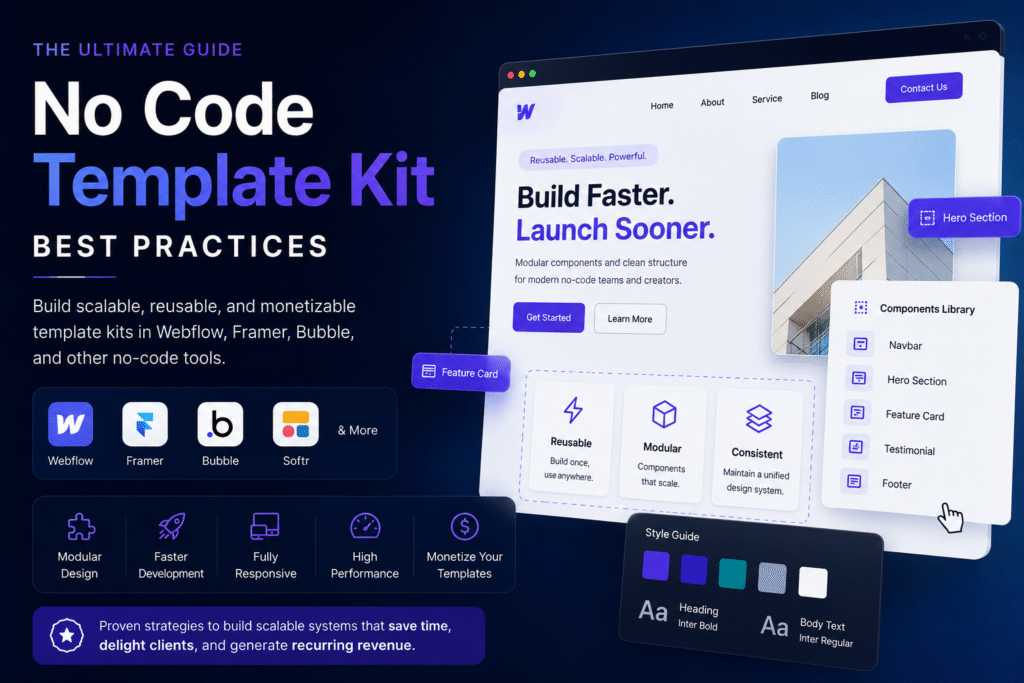
Creating reusable template kits is no longer just a productivity hack. For modern no-code developers, designers, and digital creators, reusable systems are the foundation of scalable operations.
Whether you’re building in Webflow, Framer, Bubble, Glide, or Softr, reusable template architecture can dramatically reduce development time, improve consistency, and unlock new monetization opportunities.
In this guide, you’ll learn the most effective no code template kit best practices used by successful creators and agencies to build scalable systems that are easy to maintain, customize, and sell.
Quick Answer: What Are Reusable Template Kits?
Reusable template kits are modular collections of pre-built layouts, components, styles, and workflows designed to accelerate no-code development.
A strong template kit usually includes:
- Global styles
- Reusable UI components
- Pre-configured CMS structures
- Responsive layouts
- Design tokens
- Naming conventions
- Documentation
- Interactions and animations
- Utility classes
- Scalability rules
Table of Contents
- What Is a No-Code Template Kit?
- Why Reusable Systems Matter
- Core Principles of Modular No-Code Design
- Best Practices for Building Reusable Template Kits
- Structuring Components for Scalability
- Naming Conventions and Architecture
- Responsive Design Best Practices
- CMS and Dynamic Content Planning
- Performance Optimization Techniques
- Documentation and Handoff Systems
- Monetizing No-Code Templates
- Common Mistakes to Avoid
- Recommended Tools and Workflows
- Future of Scalable No-Code Architecture
- FAQs
- Conclusion
What Is a No-Code Template Kit?
A no-code template kit is a structured collection of reusable assets and layouts that streamline website or app development inside visual development platforms.
Common Problems
| Platform | Template Type |
|---|---|
| Webflow | SaaS website kits |
| Framer | Startup landing page systems |
| Bubble | Marketplace app frameworks |
| Glide | Internal dashboard templates |
| Softr | Client portal systems |
Template kits can range from simple landing page collections to enterprise-grade design systems.
Why Reusable Systems Matter in No-Code Development
Modern no-code projects move fast. Without reusable architecture, teams often face:
- Design inconsistency
- Slower iteration cycles
- Hard-to-maintain pages
- Duplicate components
- Performance bottlenecks
- Scaling limitations
Reusable systems solve these issues by introducing standardization.
Key Benefits
Faster Delivery
Reusable blocks reduce development time by 40–70% in many agency workflows.
Easier Maintenance
Updating a global component updates every connected instance.
Better Collaboration
Clear systems help designers, marketers, and developers work together efficiently.
Increased Revenue Opportunities
Reusable kits can be sold as digital products on marketplaces.
Improved Client Retention
Agencies with scalable systems can support more clients without proportional workload increases.Core Principles of Modular No-Code Design
Before building templates, understand the foundations of modular architecture.
1. Atomic Design Thinking
Break interfaces into reusable pieces:
| Level | Example |
|---|---|
| Atoms | Buttons, labels |
| Molecules | Cards, nav items |
| Organisms | Hero sections |
| Templates | Full page layouts |
This approach improves flexibility and maintainability.
2. Design System Consistency
Every component should follow:
- Typography rules
- Spacing scales
- Color tokens
- Interaction patterns
- Grid systems
Consistency creates professional-grade templates.
3. Scalability First
Always build as if the project will grow.
Ask questions like:
- Can this section support dynamic content later?
- Will this structure scale to 100 pages?
- Can another designer understand this instantly?
Best Practices for Building Reusable Template Kits
Use a Global Style System
One of the most important no code development best practices is centralizing design rules.
Include:
- Typography tokens
- Spacing variables
- Color variables
- Radius systems
- Shadow presets
- Button variants
Example Structure
Global Styles
├── Colors
├── Typography
├── Buttons
├── Containers
├── Utilities
└── Interaction Presets
This minimizes future redesign effort.
Build Components Before Pages
Many beginners design pages first.
Experienced creators build reusable components first.
Good Workflow
- Create design tokens
- Build reusable components
- Create layout structures
- Assemble pages
- Optimize responsiveness
- Document usage
This creates cleaner architecture.
Use Utility Classes Strategically
Utility-first systems improve scalability.
Example Utility Naming
.u-padding-large
.u-margin-top-medium
.u-display-flex
.u-text-center
Benefits include:
- Faster styling
- Easier maintenance
- Reduced class duplication
Create Flexible Components
Avoid rigid layouts.
Good components allow:
- Variable text lengths
- Different image ratios
- Dynamic CMS content
- Multiple states
Example
A pricing card should support:
- 2 plans
- 3 plans
- featured plans
- enterprise plans
- badges
- CTA variations
Structuring Components for Scaling No-Code Architecture
Scaling no code architecture requires predictable systems.
Recommended Folder Structure
Components/
├── Navigation
├── Heroes
├── Pricing
├── Testimonials
├── Footer
├── CMS Components
└── Utilities
Use Variants Instead of Duplication
Instead of:
Hero 1
Hero 2
Hero 3
Hero 4
Use:
Hero Component
├── Dark Variant
├── Light Variant
├── CTA Variant
└── Minimal Variant
This keeps systems manageable.
Naming Conventions That Scale
Poor naming is one of the biggest problems in template systems.
Recommended Naming Pattern
component-element-modifierExample:
card-pricing-featured
button-primary-large
nav-dropdown-mobile
Avoid These Mistakes
| Bad Naming | Better Naming |
|---|---|
| div-block-42 | card-testimonial |
| text-copy-2 | heading-section |
| container-new | section-pricing |
Responsive Design Best Practices
Responsive quality directly impacts template value.
Mobile-First Design
Always optimize for smaller screens first.
Why?
- Better performance
- Cleaner layouts
- Simpler scaling
- Improved accessibility
Test These Breakpoints
| Device | Recommended Width |
|---|---|
| Mobile | 320–480px |
| Tablet | 768px |
| Laptop | 1024px |
| Desktop | 1440px+ |
Avoid Absolute Heights
Instead of fixed heights:
height: 600px;Prefer:
min-height: 60vh;CMS and Dynamic Content Planning
Scalable templates should support dynamic content.
Important CMS Collections
- Blog posts
- Testimonials
- FAQs
- Team members
- Features
- Pricing plans
- Categories
CMS Best Practices
Use Clear Field Naming
Bad:
field_1
field_2
Good:
author_name
feature_icon
cta_button_text
Plan for Empty States
Templates should handle:
- Missing images
- Long titles
- Empty collections
- Variable content lengths
This improves reliability.
| Device | Recommended Width |
|---|---|
| Mobile | 320–480px |
| Tablet | 768px |
| Laptop | 1024px |
| Desktop | 1440px+ |
Avoid Absolute Heights
Instead of fixed heights:
height: 600px;Prefer:
min-height: 60vh;Performance Optimization Techniques
Fast templates rank better and convert better.
Optimize Images
Recommended formats:
| Format | Best Use |
|---|---|
| WebP | General images |
| SVG | Icons |
| AVIF | High compression visuals |
Reduce Animation Overload
Too many animations can hurt:
- Performance
- Accessibility
- Mobile experience
Use motion intentionally.
Limit Nested Containers
Deep nesting creates bloated structures.
Bad structure:
Container
 └ Div
   └ Div
     └ Div
       └ Content
Better structure:
Section
 └ Grid
   └ Content
Documentation Is a Competitive Advantage
Professional template creators always document systems.
Include Documentation For
- Setup instructions
- Style guides
- CMS structure
- Editing workflows
- Responsive behavior
- Animation rules
- Component usage
Best Documentation Formats
| Format | Use Case |
|---|---|
| Loom videos | Quick onboarding |
| Notion docs | Organized systems |
| PDF guides | Marketplace delivery |
| Interactive walkthroughs | Premium products |
Monetizing No-Code Templates
One of the biggest reasons creators learn how to create reusable template kits is monetization.
Popular Revenue Models
| Model | Description |
|---|---|
| Marketplace Sales | Sell on template marketplaces |
| Client Licensing | Reuse systems for clients |
| Membership Libraries | Subscription access |
| White Label Kits | Agency reselling |
| Educational Products | Sell systems + tutorials |
Best Platforms for Selling Templates
| Platform | Best For |
|---|---|
| Webflow Marketplace | Website templates |
| Framer Marketplace | Startup landing pages |
| Gumroad | Digital downloads |
| Lemon Squeezy | Creator businesses |
| Creative Market | Design assets |
Pro Tip: Build Industry-Specific Kits
General templates are crowded.
Niche-focused systems perform better.
High-Demand Niches
- SaaS startups
- AI tools
- Healthcare
- Agencies
- Portfolios
- Course creators
- Real estate
- Fintech
- Creator economy
Common Mistakes When Building Template Kits
1. Overdesigning Components
Templates should be customizable, not overly opinionated.
2. Ignoring Accessibility
Include:
- Proper contrast
- Semantic structure
- Keyboard navigation
- Alt text support
Accessibility increases usability and SEO.
3. Poor Responsiveness
A template that breaks on mobile loses trust immediately.
4. Inconsistent Spacing
Without spacing systems, templates feel amateurish.
5. No Documentation
Users abandon confusing products quickly.
| Feature | Good System | Poor System |
|---|---|---|
| Naming | Clear and structured | Random |
| Components | Reusable variants | Duplicate sections |
| Responsiveness | Mobile-first | Desktop-only |
| CMS | Dynamic-ready | Static layouts |
| Performance | Optimized | Heavy animations |
| Documentation | Complete | Missing |
Expert Recommendations for Modular No-Code Design
Prioritize Systems Over Visuals
A clean system outperforms flashy design long term.
Build for Non-Technical Users
The easier your template is to edit, the higher its value.
Create Starter Frameworks
Instead of building from scratch each time:
- Start from a master kit
- Clone the architecture
- Customize branding
- Add niche-specific modules
Agencies scale faster this way.
Did You Know?
Many top-performing Webflow and Framer creators generate recurring income by selling the same reusable architecture in multiple industries with minor customization changes.
That is the real power of modular no code design.Best Tools for Reusable No-Code Systems
| Tool | Best Use |
|---|---|
| Webflow | Advanced websites |
| Framer | Interactive landing pages |
| Bubble | Full-stack apps |
| Figma | Design systems |
| Notion | Documentation |
| Relume | Component generation |
| Airtable | Structured CMS planning |
Future of No-Code Template Systems
The no-code ecosystem is rapidly evolving toward:
- AI-assisted design systems
- Automated component generation
- Design token synchronization
- Cross-platform reusable systems
- Headless no-code architecture
- AI-generated personalization
Creators who master reusable systems today will have a major advantage as the ecosystem matures.
Frequently Asked Questions
No-code template kits are reusable collections of layouts, components, styles, and workflows designed to accelerate development in visual platforms like Webflow, Framer, and Bubble.
They improve scalability, reduce development time, maintain consistency, and create monetization opportunities.
It depends on the use case:
- Webflow: marketing websites
- Framer: modern startup landing pages
- Bubble: web applications
- Glide: internal tools
- Softr: portals and membership systems
Common methods include:
- Marketplace sales
- Licensing
- Membership subscriptions
- Client reuse
- Educational bundles
Modular no-code design is a system-based approach where reusable components and structured architecture allow scalable and maintainable development.
Conclusion
Building scalable systems is the difference between freelancers who constantly rebuild projects and creators who operate efficiently at scale.
The best no code template kit best practices focus on:
- reusable architecture
- modular design
- consistent naming
- responsive systems
- performance optimization
- clear documentation
Whether you’re building for clients, internal operations, or digital product sales, reusable template kits are one of the highest-leverage assets in modern no-code development.
If you want to future-proof your no-code workflow, start treating templates as scalable systems rather than one-off designs.
That mindset shift changes everything.
