

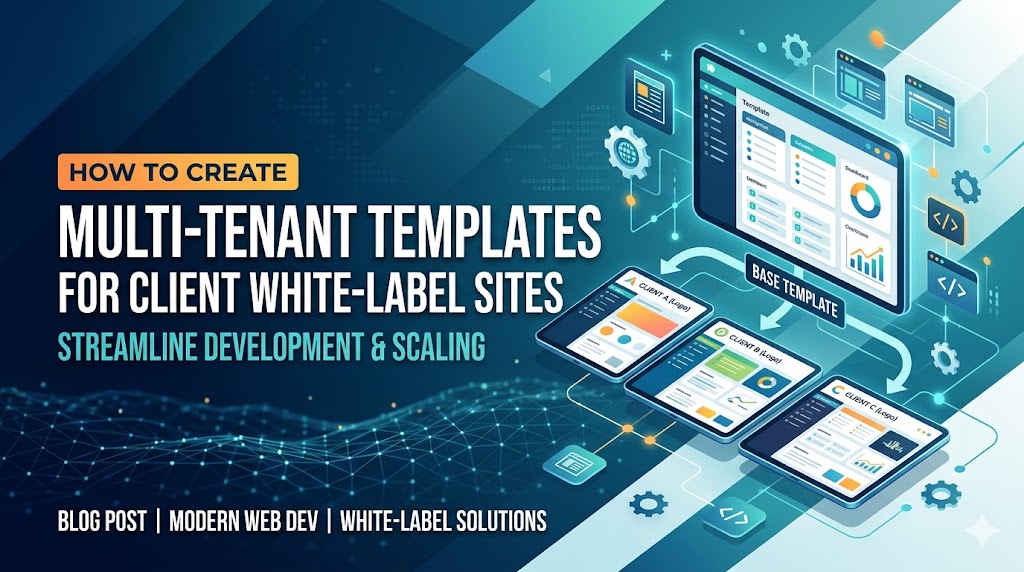
Modern SaaS companies rarely build a completely separate frontend for every customer anymore. Instead, they rely on multi-tenant templates white label architectures that allow a single codebase to dynamically serve multiple branded client experiences.
This approach dramatically reduces development cost, simplifies deployments, improves scalability, and accelerates onboarding for enterprise customers.
For frontend architects and SaaS engineers, the challenge is not simply supporting multiple tenants. The real challenge is building a frontend system that can:
- Dynamically change branding
- Support tenant-specific layouts
- Enable custom domains
- Scale deployments globally
- Maintain security boundaries
- Preserve performance
- Avoid code duplication
This guide explains how to design and implement a production-grade multi-tenant white-label architecture for frontend applications.
Quick Answer
What are multi-tenant templates for white-label sites?
Multi-tenant templates are reusable frontend architectures where multiple clients share the same core application while receiving customized branding, themes, domains, configurations, and content.
| Component | Purpose |
|---|---|
| Tenant configuration | Stores branding and settings |
| Dynamic theming | Applies tenant-specific UI |
| Domain mapping | Serves unique client URLs |
| Shared frontend core | Single maintainable codebase |
| Tenant-aware APIs | Isolated customer data |
| Feature flags | Per-client capabilities |
This architecture is commonly used in:
- SaaS dashboards
- CRM platforms
- E-commerce builders
- Analytics products
- AI tools
- Learning platforms
- Agency portals
Table of Contents
- What Is Multi-Tenant Architecture?
- Why White-Label SaaS Platforms Use Multi-Tenancy
- Multi-Tenant Frontend Architecture Explained
- Core Components of a White-Label Template System
- Choosing the Right Frontend Stack
- Designing Tenant Configuration Systems
- Dynamic Branding and Theming
- Routing and Domain Mapping
- Tenant Isolation Strategies
- Authentication and Authorization
- Feature Flags and Custom Modules
- Multi-Tenant Deployment Strategies
- Performance Optimization
- SEO Challenges for White-Label Sites
- Common Mistakes Developers Make
- Best Practices for Building White-Label Applications
- Example Folder Structure
- Sample Multi-Tenant Theme Loader
- Pros and Cons of Multi-Tenant White-Label Systems
- Build vs Buy Considerations
- FAQ
- Conclusion
What Is Multi-Tenant Architecture?
Definition
Multi-tenant architecture is a software design model where a single application instance serves multiple customers (tenants) while keeping their configurations, branding, and data logically separated.
In frontend systems, this usually means:
- One shared application
- Multiple branded experiences
- Tenant-aware rendering
- Dynamic UI generation
| Feature | Single-Tenant | Multi-Tenant |
|---|---|---|
| Infrastructure | Separate per client | Shared |
| Maintenance | High | Lower |
| Scalability | Limited | High |
| Branding | Easy | Dynamic |
| Deployment | Multiple pipelines | Centralized |
| Cost | Expensive | Efficient |
Why White-Label SaaS Platforms Use Multi-Tenancy
White-label client sites require customization without rebuilding the application repeatedly.
Key Business Benefits
Faster Client Onboarding
A new client can launch within minutes instead of weeks.
Lower Engineering Cost
Teams maintain one frontend architecture instead of dozens.
Centralized Updates
Bug fixes and new features roll out across all tenants instantly.
Better Scalability
Infrastructure utilization improves significantly.
Easier Compliance
Security audits become simpler when architecture is standardized.
Multi-Tenant Frontend Architecture Explained
Typical Architecture Flow
Client Domain
↓
CDN / Edge Layer
↓
Tenant Resolver
↓
Frontend App
↓
Tenant Config Loader
↓
Dynamic Theme + Features
↓
Tenant APIs / Database
Core Components of a White-Label Template System
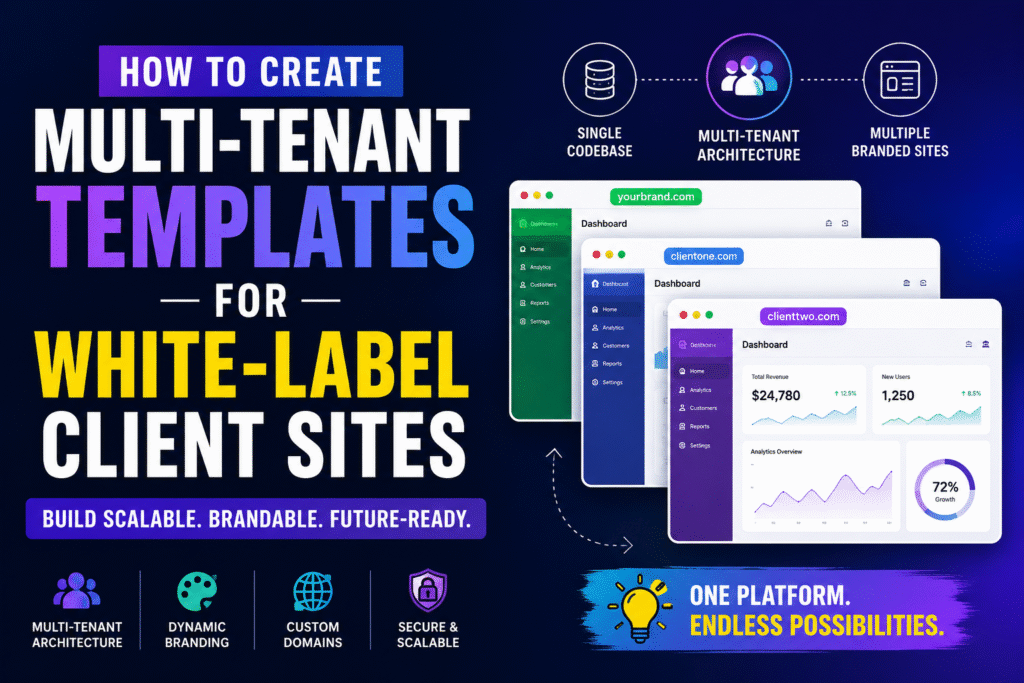
1. Tenant Resolver
Identifies the current tenant based on:
- Domain
- Subdomain
- JWT claims
- URL path
- API key
Example:
| Domain | Tenant |
|---|---|
| clientA.app.com | Client A |
| clientB.app.com | Client B |
| analytics.client.com | Enterprise Client |
2. Tenant Configuration Service
Stores:
- Logo URLs
- Theme colors
- Fonts
- Feature toggles
- Navigation structure
- Localization settings
Example JSON:
{
  "tenantId": "client-a",
  "brandName": "Client A",
  "primaryColor": "#0F172A",
  "secondaryColor": "#2563EB",
  "logo": "/logos/client-a.svg",
  "features": {
    "analytics": true,
    "billing": false
  }
}
3. Dynamic UI Renderer
Uses configuration to render:
- Themes
- Layouts
- Widgets
- Modules
- Navigation
- Typography
Choosing the Right Frontend Stack
Recommended Frontend Technologies
| Technology | Why It Works |
|---|---|
| React | Component-driven architecture |
| Next.js | SSR + edge support |
| Tailwind CSS | Dynamic theming flexibility |
| TypeScript | Safer tenant configurations |
| Zustand/Redux | Global tenant state |
| GraphQL | Flexible tenant querying |
Pro Tip
For enterprise white-label SaaS platforms, combine:
- Next.js middleware
- Edge functions
- CDN caching
- Runtime configuration loading
This creates extremely fast tenant-aware rendering globally.
Designing Tenant Configuration Systems
The configuration layer is the heart of any SaaS multi-tenancy template.
Recommended Configuration Structure
Tenant
├── Branding
├── Features
├── Roles
├── Navigation
├── SEO Settings
├── Localization
└── API Endpoints
Best Practice
Never hardcode tenant-specific UI logic directly inside components.
Instead:
✅ Use configuration-driven rendering
✅ Use schema validation
✅ Use typed tenant contracts
Dynamic Branding Multi-Tenant Systems
What Is Dynamic Branding?
Dynamic branding allows frontend applications to change:
- Logos
- Colors
- Typography
- Layout styles
- Icons
- Meta tags
- Favicons
…without changing the underlying application code.
Example: Dynamic Theme Injection
export function applyTheme(theme) {
  document.documentElement.style.setProperty(
    '--primary-color',
    theme.primaryColor
  )

  document.documentElement.style.setProperty(
    '--secondary-color',
    theme.secondaryColor
  )
}
Did You Know?
Large SaaS companies often support:
- 1000+ tenant themes
- Runtime branding
- Dynamic CSS variable injection
- Tenant-specific asset pipelines
…from a single frontend deployment.
Routing and Domain Mapping
| Strategy | Example |
|---|---|
| Subdomain | client.app.com |
| Custom domain | client.com |
| Path-based | app.com/client |
| Header-based | X-Tenant-ID |
Recommended Approach
For scalable white-label client sites, custom domain routing is ideal because it:
- Improves SEO
- Strengthens branding
- Enhances trust
- Enables client ownership
Example: Next.js Middleware Tenant Detection
export function middleware(request) {
  const host = request.headers.get('host')

  const tenant = resolveTenant(host)

  request.headers.set('x-tenant', tenant)

  return NextResponse.next()
}
Tenant Isolation Strategies
Security is critical in building white-label applications.
| Model | Complexity | Security |
|---|---|---|
| Shared DB | Low | Medium |
| Shared DB + Row Isolation | Medium | Good |
| Separate Schemas | High | Better |
| Separate Databases | Very High | Best |
Recommended Strategy
For most SaaS products:
✅ Shared infrastructure
✅ Strict tenant row isolation
✅ Tenant-aware API middleware
✅ Role-based permissions
Authentication and Authorization
Multi-Tenant Auth Considerations
You must handle:
- Tenant-aware sessions
- Tenant-specific login pages
- SSO integrations
- Enterprise identity providers
- Cross-tenant access prevention
Recommended Stack
| Layer | Recommendation |
|---|---|
| Auth Provider | Auth0 / Clerk / Cognito |
| Session Storage | JWT + Secure Cookies |
| Authorization | RBAC + ABAC |
| Enterprise SSO | SAML/OIDC |
Feature Flags and Custom Modules
Enterprise clients frequently request:
- Custom dashboards
- Additional integrations
- Extra modules
- Region-specific features
Use Feature Flags
Example:
{
  "features": {
    "advancedReports": true,
    "aiInsights": false,
    "customExports": true
  }
}
Multi-Tenant Deployment Strategies
Common Deployment Models
| Strategy | Pros | Cons |
|---|---|---|
| Single Deployment | Easy maintenance | Complex runtime logic |
| Per-Tenant Deployment | Isolation | Expensive |
| Hybrid | Flexible | Operational complexity |
Recommended Modern Stack
| Layer | Tool |
|---|---|
| Hosting | Vercel / Cloudflare |
| CDN | Cloudflare |
| Edge Runtime | Next.js Edge |
| Config Storage | Redis / PostgreSQL |
| CI/CD | GitHub Actions |
Recommended Modern Stack
| Layer | Tool |
|---|---|
| Hosting | Vercel / Cloudflare |
| CDN | Cloudflare |
| Edge Runtime | Next.js Edge |
| Config Storage | Redis / PostgreSQL |
| CI/CD | GitHub Actions |
Performance Optimization
Multi-tenant systems can become slow if branding and configuration loading are inefficient.
Best Practices
Cache Tenant Configurations
Use:
- Edge caching
- Redis
- In-memory caching
Lazy Load Tenant Modules
Avoid loading all features globally.
Use CDN Asset Partitioning
Tenant-specific assets should be cached independently.
Minimise Runtime Theme Calculations
Prefer CSS variables over full stylesheet generation.
SEO Challenges for White-Label Sites
Many white-label implementations fail SEO entirely.
Common Problems
- Duplicate content
- Shared metadata
- Canonical URL conflicts
- Poor indexing
- Thin landing pages
SEO Best Practices
Dynamic Metadata
Each tenant should generate:
- Unique titles
- Meta descriptions
- Open Graph tags
- Structured data
Example Metadata Generator
export async function generateMetadata({ tenant }) {
  return {
    title: tenant.siteTitle,
    description: tenant.siteDescription
  }
}
GEO Optimization for AI Search Engines
AI systems like:
- ChatGPT
- Perplexity
- Gemini
- Bing Copilot
prefer content that is:
- Structured
- Factually explicit
- Context-rich
- Well-organized
Important GEO Strategies
Use Clear Definitions
AI models extract concise definitions easily.
Add Tables and Structured Lists
Structured formatting improves AI summarization.
Use Entity-Rich Technical Language
Mention:
- SaaS
- frontend architecture
- tenant isolation
- edge rendering
- white-label systems
Include FAQ Sections
FAQ formatting improves retrieval accuracy.
Common Mistakes Developers Make
1. Hardcoding Tenant Logic
This creates unmaintainable frontend systems.
2. Mixing Branding with Business Logic
Always separate:
- presentation
- configuration
- permissions
3. Ignoring SEO Per Tenant
Every white-label site needs independent SEO optimization.
4. Loading All Tenant Assets Globally
This destroys performance.
5. Poor Access Isolation
One tenant should never access another tenant’s data.
Best Practices for Building White-Label Applications
Checklist
Architecture
- Shared frontend core
- Tenant-aware routing
- Runtime configuration
- Dynamic metadata
Security
- Row-level isolation
- RBAC permissions
- Tenant-aware APIs
Frontend
- CSS variable theming
- Component composition
- Feature flags
SEO
- Dynamic canonical tags
- Structured data
- Unique content
Example Folder Structure
src/
├── app/
├── tenants/
│ ├── configs/
│ ├── themes/
│ └── features/
├── components/
├── middleware/
├── services/
├── hooks/
└── utils/
Sample Multi-Tenant Theme Loader
import { getTenantConfig } from '@/services/tenant'

export async function initializeTenant() {
  const tenant = await getTenantConfig()

  document.documentElement.style.setProperty(
    '--primary',
    tenant.theme.primary
  )

  document.title = tenant.siteTitle
}
Pros and Cons of Multi-Tenant White-Label Systems
| Pros | Cons |
|---|---|
| Faster scaling | Complex architecture |
| Lower maintenance | Tenant debugging difficulty |
| Centralized updates | Runtime complexity |
| Better cost efficiency | SEO duplication risks |
| Easier deployments | Permission management overhead |
Build vs Buy: Which Is Better?
Build From Scratch If:
- You need deep customization
- You serve enterprise customers
- You require proprietary workflows
- You have strong frontend architecture expertise
Buy or Use a Starter Kit If:
- You need faster MVP launch
- Your engineering team is small
- Your requirements are standard
- Time-to-market matters more
Expert Recommendations
Recommended Frontend Pattern
For modern multi-tenant architecture frontend systems:
Best Stack
- Next.js App Router
- Edge middleware
- Tailwind CSS
- Runtime tenant config
- PostgreSQL
- Feature flags
- CDN edge caching
This combination balances:
- scalability
- developer experience
- SEO
- deployment simplicity
- performance
Frequently Asked Questions
A multi-tenant white-label application is a shared software platform where multiple clients use the same core application while receiving unique branding, domains, themes, and configurations.
Multi-tenancy refers to shared infrastructure architecture. White-labeling refers to client-specific branding and customization. Most white-label SaaS products use multi-tenant systems underneath.
Yes. Next.js is one of the best frameworks for multi-tenant SaaS because it supports:
- edge middleware
- SSR
- dynamic metadata
- runtime rendering
- domain-based routing
Dynamic branding is usually implemented using:
- tenant configuration APIs
- CSS variables
- runtime theme injection
- tenant-aware asset loading
The most common risks include:
- tenant data leakage
- poor SEO implementation
- configuration sprawl
- runtime performance issues
- permission isolation failures
Conclusion
Building scalable multi-tenant templates white label systems requires more than simply changing logos and colors. A production-grade architecture must support:
- dynamic branding
- tenant-aware routing
- secure isolation
- scalable frontend rendering
- SEO optimization
- edge performance
- enterprise customization
The most successful SaaS platforms treat multi-tenancy as a core architectural foundation rather than an afterthought.
If implemented correctly, a single multi-tenant frontend can power hundreds or even thousands of branded client experiences from one maintainable codebase.
For frontend architects and SaaS engineers, mastering this architecture unlocks enormous opportunities in enterprise SaaS development, platform engineering, and scalable white-label infrastructure.
Key Takeaways
- Multi-tenant white-label systems reduce engineering overhead
- Runtime configuration is essential
- Dynamic branding should be configuration-driven
- Tenant-aware SEO matters significantly
- Edge rendering improves global scalability
- Next.js is ideal for modern multi-tenant frontends
- Security isolation must be designed early
- Feature flags simplify enterprise customization
CTA
Planning to build a scalable white-label SaaS platform? Start by designing your tenant configuration system first. The quality of your configuration architecture will determine how maintainable, scalable, and customizable your entire multi-tenant platform becomes over time.
