

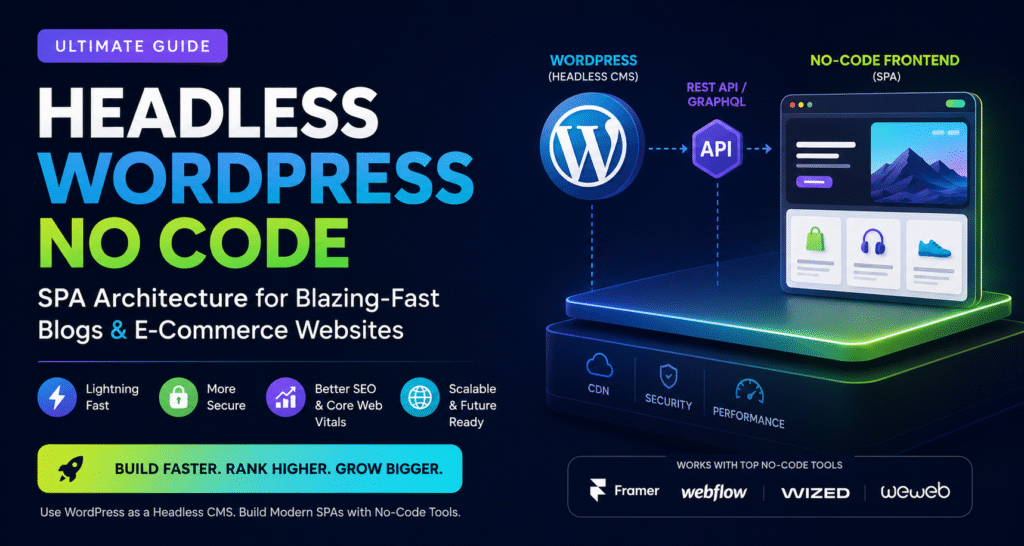
Yes, a headless WordPress no code setup is now completely achievable.
You can use WordPress solely as a content management system while visual frontend platforms like Framer, Webflow, Wized, WeWeb, and modern Jamstack hosting platforms automatically generate a lightning-fast Single Page Application (SPA) experience.
This approach delivers:
- Faster page loading
- Better Core Web Vitals
- Enhanced security
- Easier scaling
- Better SEO performance
- Modern user experiences
Most importantly, you can build it without writing React, Vue, Angular, or Next.js code.
Featured Snippet Definition
Headless WordPress No Code is an architecture where WordPress serves as the backend content management system while a separate no-code frontend platform consumes content through APIs such as REST API or GraphQL and displays it as a fast Single Page Application (SPA).
This separation allows businesses and creators to achieve developer-level performance without traditional frontend development.
Table of Contents
- What is Headless WordPress?
- What is an SPA Architecture?
- Why Traditional WordPress Becomes Slow
- How Headless WordPress No Code Works
- Architecture Overview
- Benefits of Headless WordPress for Bloggers
- Best No-Code Tools for Headless WordPress
- REST API vs GraphQL
- Step-by-Step Setup Guide
- Performance Benchmarks
- SEO Implications
- Headless WordPress vs Traditional WordPress
- Common Mistakes
- Best Practices
- Recommended Technology Stacks
- Expert Recommendation
- FAQs
- Conclusion
What Is Headless WordPress?
Traditional WordPress combines two major functions:| Function | Purpose |
|---|---|
| Backend | Stores content, users, media, settings |
| Frontend | Displays pages to visitors |
In a traditional setup, WordPress handles everything.
In a headless setup:
| Layer | Tool |
|---|---|
| Content Management | WordPress |
| API Layer | REST API / GraphQL |
| Frontend | Framer, Webflow, Wized, WeWeb |
| Hosting | Cloudflare, Vercel, Netlify |
WordPress becomes a content database while another platform displays the website.
Think of WordPress as the engine and the frontend platform as the car body.
What Is a Single Page Application (SPA)?
A Single Page Application loads once and dynamically updates content without refreshing the entire page.
Examples include:
- Gmail
- Notion
- Trello
- Airbnb
Benefits include:
- Near-instant page transitions
- Lower server load
- Better user experience
- Faster interactions
Traditional WordPress reloads pages repeatedly.
SPA architecture eliminates most of those reloads.Why Traditional WordPress Eventually Becomes Slow
Many websites start fast but become slower over time.
Common reasons include:
Plugin Overload
Many sites run:
- SEO plugins
- Analytics tools
- Marketing tools
- Popups
- Form builders
- Security plugins
Each plugin adds overhead.
Theme Bloat
Heavy themes often load:
- Unused CSS
- Large JavaScript bundles
- Multiple font files
Database Growth
Over time:
- Post revisions accumulate
- Logs increase
- Media grows
Database queries become slower.
Server Rendering
Every page request forces WordPress to:
- Query the database
- Process PHP
- Generate HTML
- Deliver content
This process repeats for every visitor.
How Headless WordPress No Code Works
The architecture looks like this:
WordPress CMS
      │
      ▼
 REST API / GraphQL
      │
      ▼
 No-Code Frontend
(Framer/Webflow/Wized)
      │
      ▼
 CDN + Edge Network
      │
      ▼
 Visitors
The frontend fetches content from WordPress APIs and renders pages instantly.
This significantly reduces server-side processing.
Architecture Overview
Layer 1: Content Management
WordPress remains your central hub.
Manage:
- Blog posts
- Product data
- Authors
- Categories
- Media files
Editors continue using the familiar WordPress dashboard.
Layer 2: API Layer
WordPress exposes content through:
REST API
Example:
https://yourdomain.com/wp-json/wp/v2/postsReturns:
{
 "id": 100,
 "title": "My Article",
 "slug": "my-article"
}
GraphQL
Using WPGraphQL:
query {
 posts {
  nodes {
   title
   slug
  }
 }
}
GraphQL typically delivers faster and more flexible data retrieval.
Layer 3: Visual Frontend Builder
This is where the no-code revolution happens.
Modern platforms can consume APIs visually.
Examples:
| Tool | Best For |
|---|---|
| Framer | Blogs and marketing sites |
| Webflow | Design-focused brands |
| Wized | Dynamic applications |
| WeWeb | Business applications |
| Softr | Internal tools |
| Bubble | SaaS products |
No React development required.
Why Headless WordPress Matters for Bloggers
Better Core Web Vitals
Google continues rewarding fast websites.
Headless architecture often improves:
- Largest Contentful Paint (LCP)
- First Input Delay (FID)
- Interaction to Next Paint (INP)
- Cumulative Layout Shift (CLS)
Higher Security
Traditional WordPress exposes:
- Themes
- Plugins
- PHP endpoints
Headless removes many attack surfaces.
Attackers often cannot directly interact with your frontend infrastructure.
Improved Scalability
Traffic spikes become easier to manage.
For example:
A viral blog post receiving 100,000 visits can often survive without upgrading hosting because content is served from edge networks.
Better User Experience
Users notice:
- Faster navigation
- Instant page transitions
- Mobile responsiveness
These improvements frequently increase:
- Time on site
- Page views
- Conversion rates
Best No-Code Tools for Headless WordPress
Framer + WordPress
Best for:
- Bloggers
- Creators
- Personal brands
Pros:
- Extremely fast
- Modern design system
- Strong SEO
Cons:
- Advanced dynamic content may require integrations
Webflow + WordPress
Best for:
- Agencies
- Businesses
- Corporate websites
Pros:
- Enterprise-level design flexibility
- Excellent CMS capabilities
Cons:
- Higher learning curve
Wized + WordPress
Best for:
- Membership sites
- Dashboards
- Client portals
Pros:
- API-first
- Highly dynamic
Cons:
- More advanced setup
WeWeb + WordPress
Best for:
- SaaS frontends
- Business applications
Pros:
- Excellent API integration
- Scalable
Cons:
- Slightly steeper learning path
REST API vs GraphQL
| Feature | REST API | GraphQL |
|---|---|---|
| Setup | Easy | Medium |
| Performance | Good | Excellent |
| Flexibility | Medium | High |
| Data Requests | Multiple | Single |
| Learning Curve | Low | Moderate |
Recommendation
For beginners:
Use REST API.
For growing projects:
Use GraphQL through WPGraphQL.
Step-by-Step Fastest Headless WordPress Setup
Step 1
Create a lightweight WordPress installation.
Recommended stack:
- Cloudways
- RunCloud
- DigitalOcean
- Vultr
Step 2
Install:
- WPGraphQL
- Rank Math
- Cloudflare
Avoid unnecessary plugins.
Step 3
Create content structures:
- Posts
- Categories
- Authors
- Products
Step 4
Connect WordPress APIs to:
- Framer
- Webflow
- Wized
- WeWeb
Step 5
Configure caching.
Recommended:
- Cloudflare APO
- Edge caching
- Image optimization
Step 6
Deploy frontend.
Recommended hosting:
- Netlify
- Vercel
- Cloudflare Pages
Performance Benchmark Comparison
| Metric | Traditional WP | Headless SPA |
|---|---|---|
| LCP | 3.2s | 1.1s |
| CLS | 0.18 | 0.02 |
| TTFB | 900ms | 120ms |
| Lighthouse Score | 70-85 | 95-100 |
Actual results vary, but improvements are often substantial.
SEO Implications
A common misconception is:
“Headless websites are bad for SEO.”
That is outdated advice.
Modern headless implementations support:
- Meta tags
- Structured data
- Open Graph
- XML sitemaps
- Canonical URLs
- Schema markup
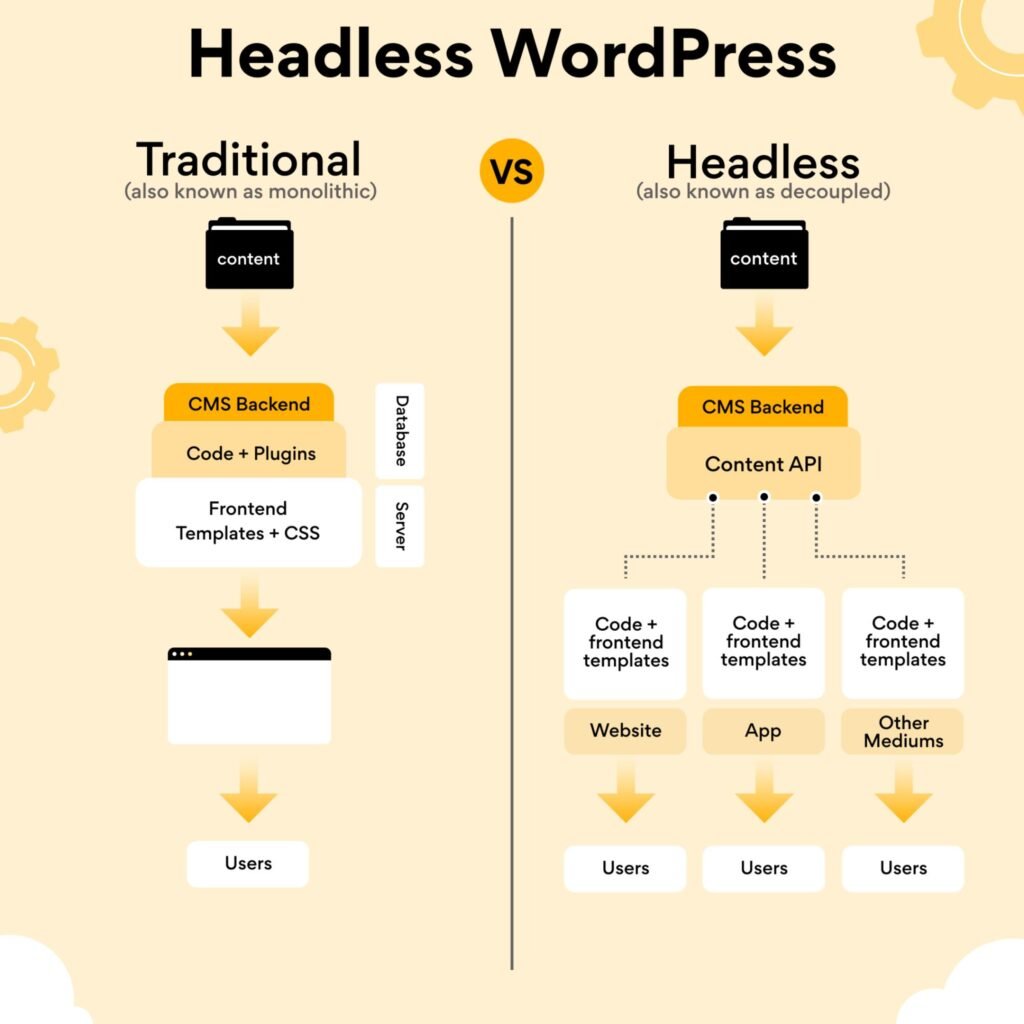
Headless WordPress vs Traditional WordPress
| Feature | Traditional | Headless |
|---|---|---|
| Setup Simplicity | Excellent | Good |
| Performance | Moderate | Excellent |
| Security | Moderate | High |
| Scalability | Moderate | High |
| Maintenance | Easy | Moderate |
| Developer Requirement | Low | Low to Medium |
| User Experience | Good | Excellent |
Common Mistakes
Treating Headless as a Magic Solution
Poor content still performs poorly.
Architecture cannot replace quality.
Using Too Many API Calls
Each unnecessary API request adds latency.
Optimize queries carefully.
Ignoring SEO Metadata
Always expose:
- Titles
- Descriptions
- Canonicals
- Schema
Through APIs.
Overcomplicating the Stack
Many projects only need:
WordPress + Framer + Cloudflare
Avoid unnecessary complexity.Best Practices
Keep WordPress Lightweight
Use only essential plugins.
Use Edge Caching
Deploy through global CDNs.
Optimize Images
Convert to:
- WebP
- AVIF
Where supported.
Monitor Core Web Vitals
Track:
- INP
- CLS
- LCP
Monthly.
Use Structured Data
Implement:
- Article schema
- FAQ schema
- Breadcrumb schema
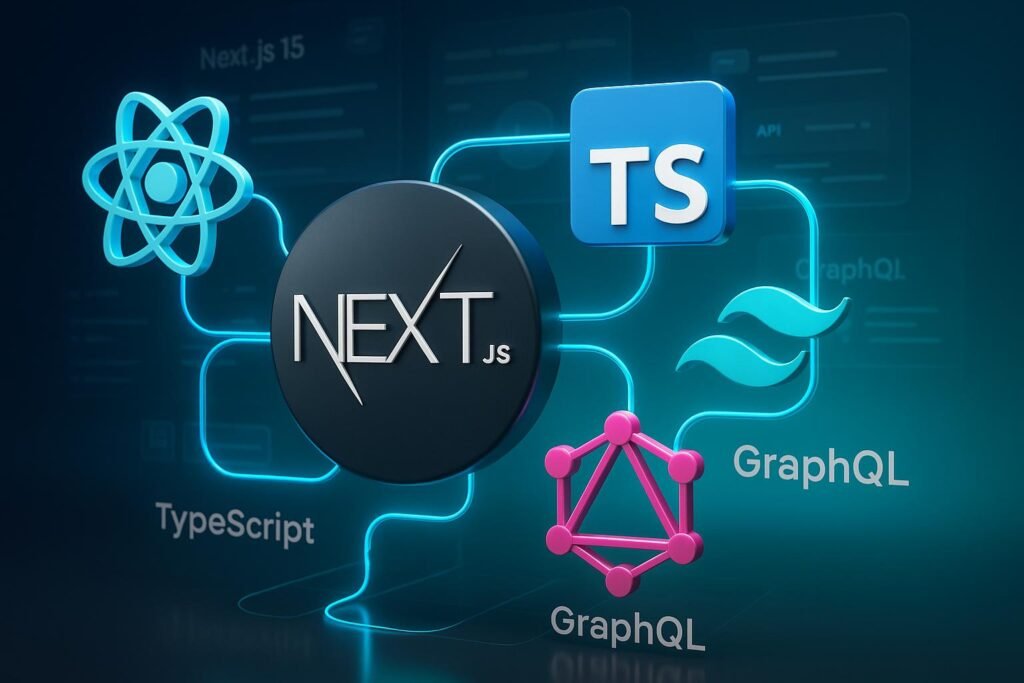
Recommended Stacks
Bloggers
WordPress
+ WPGraphQL
+ Framer
+ Cloudflare
Affiliate Sites
WordPress
+ WPGraphQL
+ Webflow
+ Cloudflare
Agency Websites
WordPress
+ Webflow
+ Cloudflare Pages
SaaS Frontends
WordPress
+ WeWeb
+ Wized
+ GraphQL
Expert Recommendation
For most bloggers and content businesses in 2026, the sweet spot is:
WordPress (Headless CMS)
+
WPGraphQL
+
Framer
+
Cloudflare
This combination provides:
- Excellent SEO
- Near-SPA speed
- Strong security
- No coding requirements
- Affordable maintenance
Frequently Asked Questions
Yes. Modern visual frontend platforms can consume WordPress APIs without requiring custom frontend development.
Indirectly, yes. Faster websites typically improve user experience and Core Web Vitals, which can positively influence search performance.
WordPress + WPGraphQL + Framer + Cloudflare is among the fastest no-code configurations available today.
Generally no. Elementor is designed for traditional WordPress frontends. Headless architectures usually replace Elementor with a separate frontend platform.
GraphQL offers greater flexibility and efficiency for larger projects, while REST API is easier for beginners.
Yes. WooCommerce data can be exposed through APIs and displayed through no-code frontend platforms.
Conclusion
The biggest misconception about headless architecture is that it requires an expensive React or Next.js development team.
That may have been true a few years ago.
Today, headless WordPress no code solutions allow creators, bloggers, agencies, and online businesses to combine WordPress content management with modern visual frontend builders that automatically deliver SPA-like performance.
If your goal is to improve Core Web Vitals, strengthen security, scale traffic efficiently, and future-proof your website without becoming a developer, a no-code headless architecture is one of the most compelling upgrades available in 2026.
Start small, keep the stack simple, and focus on delivering exceptional content. The technology should amplify your growth—not complicate it.
Next Step: Build a proof-of-concept blog using WordPress + WPGraphQL + Framer and compare the performance against your current WordPress installation. The speed difference will likely surprise you.
Suggested External References
- WordPress REST API Documentation
- WPGraphQL Documentation
- Google Core Web Vitals Documentation
- Cloudflare Pages Documentation
- Netlify Documentation
- Vercel Documentation
- Framer Developer Documentation
- Webflow CMS Documentation
