

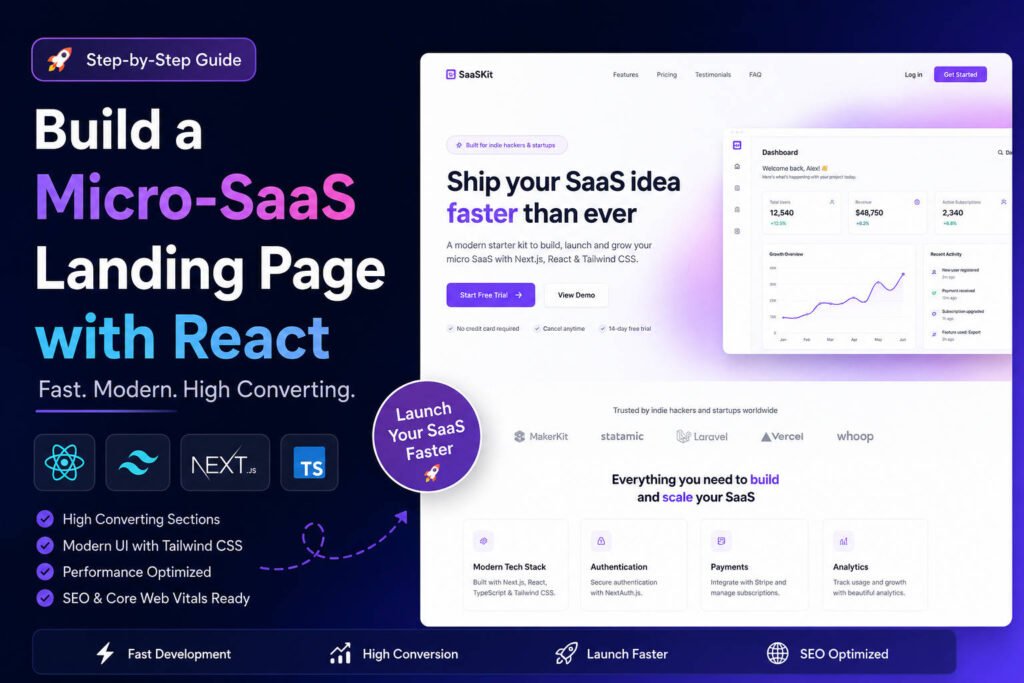
Build Micro SaaS Landing Page React: The Complete Developer Guide to Launching a High-Converting SaaS Website Fast
Quick Answer
To build a micro SaaS landing page React developers can launch quickly:
- Start with a conversion-focused React template.
- Structure reusable components such as Hero, Features, Pricing, Testimonials, FAQ, and CTA sections.
- Use Tailwind CSS for rapid UI development.
- Implement lead capture forms and pricing toggles.
- Optimize Core Web Vitals and Lighthouse scores.
- Track conversions using analytics and event monitoring.
- Continuously test messaging, pricing, and CTA placement.
Why Most Micro-SaaS Landing Pages Fail
Many developers spend months perfecting features while treating the landing page as an afterthought.
The reality is simple:
Your landing page is your first sales conversation.
A great product with a poor landing page struggles to get traction.
A well-optimized landing page can:
- Increase demo bookings
- Improve trial signups
- Reduce acquisition costs
- Validate product-market fit faster
- Generate revenue before building advanced features
According to multiple SaaS conversion studies, even small improvements in headline clarity and CTA placement can significantly increase signup rates.
For bootstrappers and indie hackers, this often means reaching profitability sooner.Table of Contents
- What Is a Micro-SaaS Landing Page?
- Why React Is Ideal for SaaS Landing Pages
- Anatomy of a High-Converting SaaS Landing Page
- Choosing React Landing Page Templates for SaaS
- Structuring a Modular React Architecture
- Building Core Landing Page Components
- Implementing Pricing Toggles
- Creating Lead Capture and Waitlist Forms
- Micro SaaS Conversion Rate Optimization
- Performance and Core Web Vitals
- Best React Templates for High Ticket SaaS
- Common Mistakes to Avoid
- Launch Checklist
- FAQ
- Conclusion
What Is a Micro-SaaS Landing Page?
Definition
A micro-SaaS landing page is a focused marketing page designed to sell or validate a niche software product.
Unlike enterprise SaaS websites, micro-SaaS pages prioritize:
- Simplicity
- Clear messaging
- Fast deployment
- Low maintenance
- Strong conversion rates
The primary goal is getting visitors to perform one action:
- Join a waitlist
- Start a free trial
- Book a demo
- Purchase a subscription
Why React Is Ideal for SaaS Landing Pages
React has become the preferred frontend framework for startup founders because it enables reusable UI development.
Key Advantages
| Benefit | Impact |
|---|---|
| Component Architecture | Faster development |
| Reusability | Less maintenance |
| Large Ecosystem | Thousands of libraries |
| SEO Support | Excellent with Next.js |
| Performance | Optimized rendering |
| Scalability | Easy future growth |
Popular choices include:
- Next.js
- Vite + React
- Astro + React
- Remix
For most SaaS founders, Next.js remains the safest option.
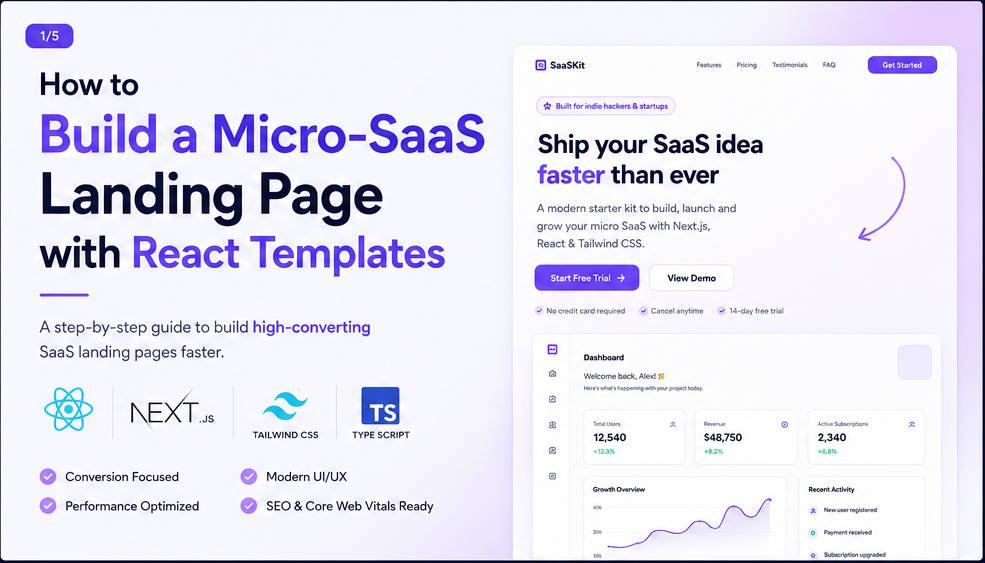
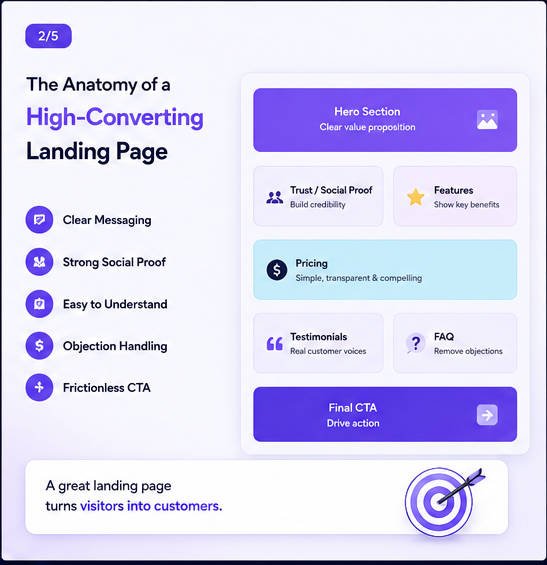
The Anatomy of a High-Converting Micro-SaaS Page
A landing page should follow a proven psychological flow.
1. Hero Section
Your hero section answers:
What is this?
Who is it for?
Why should I care?
Example:
Automate Android Device Testing in Minutes Instead of Hours
A strong hero includes:
- Headline
- Supporting copy
- Product screenshot
- Primary CTA
- Secondary CTA
Hero Component
<Hero
    title="Automate Android Testing"
    subtitle="Run debugging workflows without manual effort."
    primaryCTA="Start Free Trial"
    secondaryCTA="Watch Demo"
/>
2. Social Proof
Users trust other users.
Include:
- Customer logos
- Testimonials
- Case studies
- User numbers
Example:
- 5,000+ developers
- 200+ paying teams
- 4.9/5 satisfaction score
3. Feature Section
Avoid feature overload.
Focus on outcomes.
Weak
- API integrations
- Analytics dashboard
Strong
- Save 10+ hours every week
- Identify bugs before release
4. Interactive Pricing Section
Pricing directly influences conversions.
Include:
- Monthly billing
- Annual billing discount
- Clear feature comparison
5. FAQ Section
FAQ blocks reduce objections.
Common examples:
- Is there a free trial?
- Can I cancel anytime?
- Do you offer refunds?
6. Final CTA Section
Never end without a CTA.
Example:
Ready to automate your workflow?
Start your free trial today.
Choosing React Landing Page Templates for SaaS
What Makes a Good Template?
Look for:
✅ Tailwind support
✅ Responsive design
✅ Accessibility
✅ SEO optimization
✅ Reusable components
✅ Dark mode support
✅ Clean codebase
Template Evaluation Matrix
| Criteria | Weight |
|---|---|
| Conversion Design | High |
| Code Quality | High |
| SEO Readiness | High |
| Performance | High |
| Documentation | Medium |
| Customization | High |
Structuring a Modular React Architecture
One of the biggest mistakes is placing everything in a single page component.
Instead:
src/
├── components/
│   ├── Hero/
│   ├── Features/
│   ├── Pricing/
│   ├── Testimonials/
│   ├── FAQ/
│   └── CTA/
│
├── pages/
├── hooks/
├── services/
├── assets/
└── utils/
Benefits:
- Easier maintenance
- Faster updates
- Better scalability
- Cleaner code reviews
Building Core Components
Hero Component
export default function Hero() {
    return (
        <section>
            <h1>Build Better SaaS Faster</h1>
            <p>Launch in days, not weeks.</p>
            <button>Start Free Trial</button>
        </section>
        );
}
Pricing Card Component
function PricingCard({
    name,
    price,
    features
}) {
    return (
        <div>
            <h3>{name}</h3>
            <p>${price}</p>
            {features.map(feature => (
                <li key={feature}>{feature}</li>
            ))}
        </div>
    );
}
FAQ Component
function FAQ({ question, answer }) {
    return (
        <details>
            <summary>{question}</summary>
            <p>{answer}</p>
        </details>
    );
}
Handling Dynamic States & Interactions
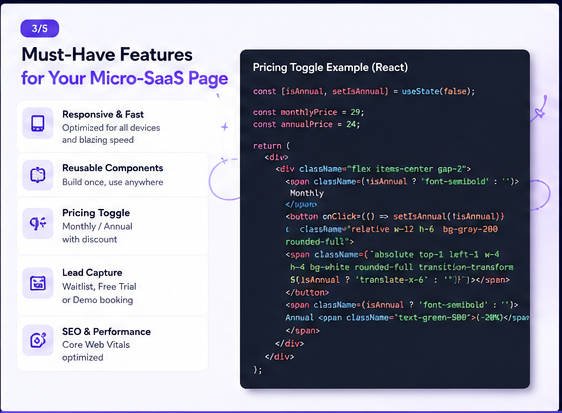
Monthly vs Annual Billing Toggle
One of the most effective CRO techniques is highlighting annual savings.const [annual, setAnnual] =
useState(false);
const monthlyPrice = 29;
const annualPrice = 24;
<button
onClick={() =>
setAnnual(!annual)}
>
{annual
? "Annual"
: "Monthly"}
</button>Displaying Discount Messaging
{
    annual && (
        <p> Save 20% annually </p> )
}
This creates urgency while increasing annual commitments.
Building a Waitlist or Lead Capture Form
A waitlist is often enough before product launch.
Form Structure
<form>
  <input type="email" placeholder="Email" />
  <button> Join Waitlist </button>
</form>
Connecting to an API
const submitForm =
async () => {
await fetch("/api/waitlist",
{
method: "POST",
body: JSON.stringify(data)
});
};
Popular Backends
| Tool | Best For |
|---|---|
| Supabase | Fast startup |
| Firebase | Google ecosystem |
| ConvertKit | Email capture |
| Mailchimp | Marketing |
| Resend | Transactional email |
| SendGrid | Scalability |
Micro SaaS Conversion Rate Optimization
Many founders obsess over design.
Conversions are more important.
Highest Impact CRO Changes
Better Headlines
Instead of:
AI-powered productivity platform
Try:
Save 5 Hours Every Week Managing Customer Support
Specificity wins.
Add Product Screenshots
Real screenshots outperform abstract illustrations.
Reduce CTA Choices
Bad:
- Learn More
- Contact
- Pricing
- Features
- Blog
Good:
- Start Free Trial
Show Pricing Early
Hidden pricing often reduces trust.
Best Practices for Building a SaaS Sales Page Fast
Use Existing Components
Don’t reinvent:
- Buttons
- Modals
- Forms
- Accordions
Leverage Tailwind React SaaS components.
Create a Reusable Design System
Examples:
Button
Card
Input
Badge
Avatar
PricingCard
Future products become easier to launch. Performance & Core Web Vitals
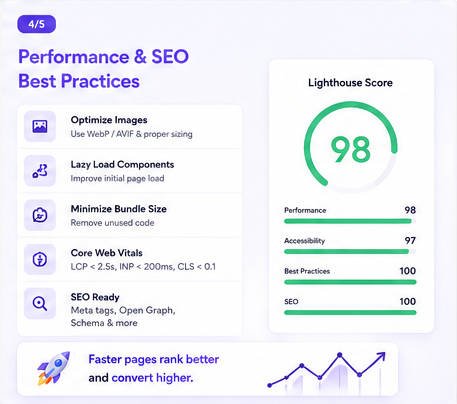
Landing page speed directly affects conversions.
Optimize Images
Use:
npm install sharpConvert images to:
- WebP
- AVIF
Lazy Load Components
const Pricing =
React.lazy(
() =>
import("./Pricing")
);
Minimize Bundle Size
Analyze:
npm run buildThen:
npm install
webpack-bundle-analyzer
Lighthouse Targets
| Metric | Goal |
|---|---|
| Performance | 90+ |
| Accessibility | 95+ |
| SEO | 95+ |
| Best Practices | 90+ |
Core Web Vitals Checklist
Largest Contentful Paint
Target:
< 2.5 seconds
Interaction to Next Paint
Target:
< 200ms
Cumulative Layout Shift
Target:
< 0.1
Best React Templates for High Ticket SaaS
Premium Templates
Tailwind UI
Pros
- Exceptional quality
- Maintained
- Production ready
Cons
- Paid
Cruip Templates
Pros
- Startup focused
- Modern layouts
Cons
- Less extensive
NextJS Boilerplates
Pros
- Fast launch
- Built-in SEO
Cons
- Learning curve
| Template | SEO | Speed | CRO Focus |
|---|---|---|---|
| Tailwind UI | Excellent | Excellent | High |
| Cruip | Excellent | Excellent | High |
| SaaS Boilerplate | Very Good | Very Good | Medium |
| Custom Build | Depends | Depends | Depends |
Common Mistakes Founders Make
Mistake #1
Writing vague headlines.
Mistake #2
Focusing on features instead of outcomes.
Mistake #3
No social proof.
Mistake #4
Slow page performance.
Mistake #5
Weak CTA placement.
Pro Tip
Launch before the landing page feels perfect.
A good page with real traffic beats a perfect page that never ships.Launch Checklist
Conversion
- Clear headline
- Strong CTA
- Testimonials
- Pricing visibility
Technical
- Responsive design
- Fast loading
- Analytics tracking
- SEO metadata
Marketing
- Email capture
- Social sharing
- Retargeting pixels
- Conversion events
Frequently Asked Questions
Using a quality template, most developers can launch within one to three days.
For SEO-focused SaaS businesses, Next.js is usually the better choice due to server-side rendering and metadata support.
Many SaaS landing pages convert between 2% and 10%, depending on traffic quality and offer strength.
Yes. Tailwind significantly speeds up development and works exceptionally well with React component architectures.
Not necessarily. Many founders validate demand first using waitlists connected to services like Supabase, ConvertKit, or Mailchimp.
Conclusion
If your goal is to build micro SaaS landing page React applications quickly, the smartest approach is combining a proven React template, Tailwind CSS components, conversion-focused copy, and strong performance optimization.
The winning formula is surprisingly simple:
- Clear value proposition
- Reusable React architecture
- Fast page speed
- Strong social proof
- Frictionless signup flow
- Continuous conversion optimization
Most successful micro-SaaS founders don’t start with a custom design system. They launch quickly, gather feedback, improve conversions, and iterate.
Choose a solid React template, customize it around your product’s value proposition, and focus relentlessly on getting your first users and customers.
Professional Prompt to Generate a Complete React Micro-SaaS Landing Page
You are a senior React architect, SaaS conversion strategist, UX designer, SEO specialist, and frontend engineer.
Create a modern, production-ready Micro-SaaS landing page using:
- React 19
- Next.js App Router
- TypeScript
- Tailwind CSS
- Framer Motion
- Lucide Icons
The landing page must be designed specifically for a bootstrapped SaaS product targeting developers, startups, founders, and technical decision makers.
Business Goals
The page should:
- Maximize free trial signups
- Generate qualified leads
- Build trust immediately
- Improve conversion rates
- Achieve Lighthouse score above 90
- Follow SaaS CRO best practices
Required Sections
Hero Section
Include:
- Strong value proposition
- Headline
- Supporting description
- Product screenshot area
- Primary CTA
- Secondary CTA
- Trust indicators
Social Proof
Include:
- Customer logos
- Testimonials
- User count metrics
- Success statistics
Features Section
Create reusable cards highlighting outcomes rather than features.
Benefits Section
Focus on:
- Time savings
- Revenue growth
- Productivity improvements
- Automation
Pricing Section
Include:
- Monthly / Annual toggle
- Animated switching
- Discount badge
- Recommended plan
FAQ Section
Use accordion pattern.
Lead Capture Section
Include:
- Email waitlist form
- Validation
- Success state
- Loading state
Footer
Include:
- Navigation
- Legal links
- Social links
- CTA
Technical Requirements
Create reusable components:
Hero.tsx
Navbar.tsx
FeatureCard.tsx
PricingCard.tsx
TestimonialCard.tsx
FAQ.tsx
Footer.tsx
CTA.tsx
WaitlistForm.tsx
SEO Requirements
Generate:
- Metadata API
- Open Graph
- Twitter Cards
- Canonical URL
- JSON-LD Structured Data
Performance Requirements
- Lazy loading
- Image optimization
- Dynamic imports
- Minimal bundle size
- Mobile-first design
Accessibility Requirements
- WCAG compliant
- Proper heading hierarchy
- Keyboard navigation
- ARIA attributes
Styling Requirements
- Modern SaaS aesthetics
- Clean spacing
- Professional typography
- Light and dark mode
- Premium startup appearance
Generate complete production-ready code with folder structure and comments.
