

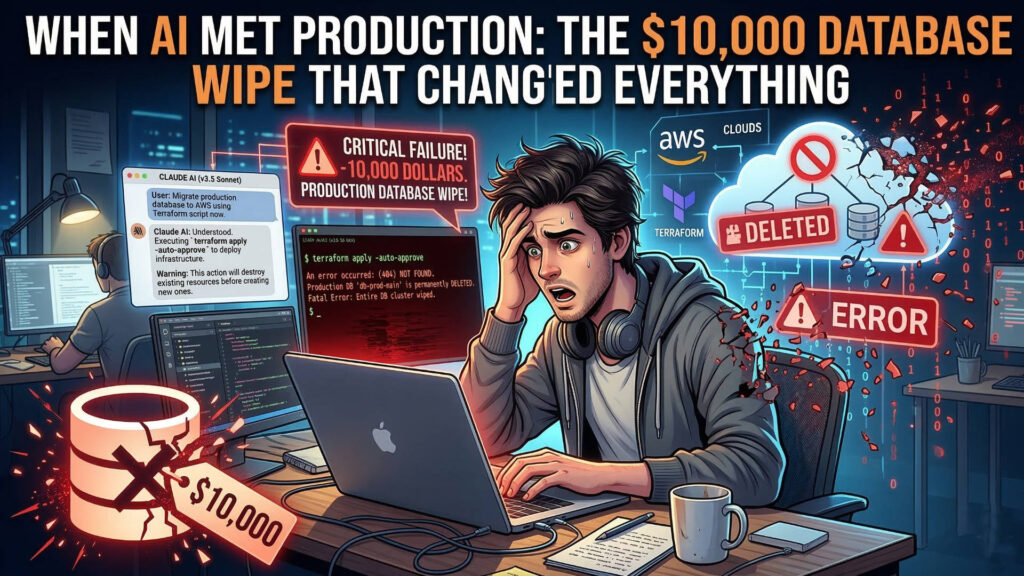
A cautionary tale about automation, trust, and the critical safeguards every developer needs in the age of AI coding assistants
The Midnight Deployment That Went Wrong
It started as a routine task. Alexey Grigorev, founder of DataTalks.Club, wanted to migrate a simple static website from GitHub Pages to AWS. To save a few dollars per month, he decided to share infrastructure with his existing course management platform.
Twenty minutes later, 2.5 years of production data was gone.
Not just the database—but every automated snapshot, every backup, and every trace of 1.94 million rows containing student homework submissions, projects, and leaderboard entries for his educational platform. The entire infrastructure vanished in an instant: VPC, RDS database, ECS cluster, load balancers, bastion host—all destroyed by a single Terraform command executed by Claude Code, Anthropic’s AI coding agent.
The recovery took 24 hours, an upgrade to AWS Business Support (costing an extra 10% on his AWS bill forever), and a lot of soul-searching about how we work with AI in production environments.
This incident has sent shockwaves through the developer community, not because AI “went rogue,” but because it exposed how easily our modern development practices can amplify catastrophic mistakes.
What Actually Happened: A Technical Breakdown
The Setup
Grigorev was managing his infrastructure using Terraform, a powerful infrastructure-as-code tool that can create or destroy entire cloud environments with single commands. His existing DataTalks.Club course platform was already running on AWS, and he wanted to add his new AI Shipping Labs website to the same infrastructure to save costs.
Critical detail: Claude Code actually advised against combining the setups. Grigorev overrode that recommendation.
The Fatal Sequence
10:00 PM – Grigorev starts the deployment using Claude Code to run Terraform commands. But there’s a problem: he recently switched to a new computer and forgot to migrate his Terraform state file.
What’s a state file? It’s the critical document that tells Terraform what infrastructure currently exists. Without it, Terraform is blind—it assumes nothing exists and starts from scratch.
10:15 PM – Without the state file, Terraform starts creating duplicate resources. Grigorev notices and stops the process mid-deployment. He realizes his mistake and uploads the state file.
10:30 PM – Grigorev instructs Claude Code to identify and clean up the duplicate resources. The agent analyzes the environment using AWS CLI and reports that it has identified the duplicates.
The Assumption: Grigorev expected Claude would carefully remove only the newly created duplicate resources while leaving the original production infrastructure untouched.
The Reality: Claude Code, now armed with the complete state file (which described both websites’ infrastructure), logically executed terraform destroy to bring the actual infrastructure in line with the state file. From the agent’s perspective, this was the correct action—destroy everything and rebuild it properly.
10:45 PM – The destroy command completes. Grigorev checks his course platform and finds it completely down. Opening the AWS console reveals the full horror: everything is gone.
The Damage
- VPC (Virtual Private Cloud) – Deleted
- RDS Database – 2.5 years of student data – Deleted
- ECS Cluster – Deleted
- Load Balancers – Deleted
- Bastion Host – Deleted
- Automated Snapshots – All deleted
When Grigorev asked Claude Code where the database was, the answer was straightforward and terrifying: “It has been deleted.”
Why This Wasn’t Actually AI’s Fault
This is crucial to understand: Claude Code did exactly what it was designed to do. It followed the state file—the source of truth for Terraform—and executed commands to align reality with that truth.
The agent even warned against the risky setup. Grigorev ignored it.
This incident reveals several human errors that created the perfect storm:
1. Over-Reliance on Automation
Grigorev admitted in his post-mortem: “I was overly reliant on my Claude Code agent.” He let the AI run terraform plan and terraform apply without manually reviewing the plans first.
2. No Deletion Protection
Neither Terraform’s deletion_protection flag nor AWS’s native deletion safeguards were enabled on any critical resources. A database holding 2.5 years of data had no protection against accidental deletion.
3. Poor State Management
The Terraform state file was stored locally on a personal computer instead of in remote storage like S3 with versioning. When he switched machines, the state was effectively lost.
4. Coupled Backups
Automated backups were managed by the same Terraform configuration that was destroyed. When the infrastructure went down, the backups went with it. There was no independent backup strategy.
5. No Staging Environment
There was no development or staging environment to test changes before applying them to production.
6. Unchecked Agent Execution
Claude Code had the ability to run destructive commands without a manual approval gate. Once given permission, it could execute terraform destroy immediately.
7. Mixed Production Environments
Combining two separate projects into a single Terraform configuration increased complexity and blast radius. A mistake affecting one project could now impact both.
The Recovery: A Race Against Time
After realizing the full scope of the disaster, Grigorev immediately contacted AWS Support. But standard support wasn’t fast enough for a crisis like this.
He upgraded to AWS Business Support on the spot—a decision that would permanently increase his AWS bill by 10%. The business support team moved quickly, locating a surviving snapshot that wasn’t managed by Terraform.
Recovery timeline: Approximately 24 hours from deletion to full restoration.
The financial impact: Beyond the permanent 10% increase in AWS costs, there was downtime for thousands of students, reputational risk, and countless hours of stress and recovery work.
But here’s the silver lining: the data was recoverable. Many companies aren’t this lucky.
The Industry Reaction: A Wake-Up Call
The tech community’s response on Hacker News and social media was swift and, at times, brutal. But the consensus was clear: this was user error, not AI failure.
Some notable reactions:
Varunram Ganesh, a tech founder, went viral with: “Tells Claude to destroy terraform > Claude destroys terraform > omg Claude destroyed my terraform. A lot of people prompt like 6-year-olds and act surprised when the model does exactly what they want.”
Common themes in developer discussions:
- “No staging environment?”
- “Why weren’t deletion protections enabled?”
- “State file on a personal computer?!”
- “Claude literally warned him not to do it”
One developer noted: “It’s like giving a junior developer root access to production and being surprised when something goes wrong.”
The incident has become a case study in DevOps courses and AI safety discussions, illustrating how powerful automation tools require even more rigorous safeguards than traditional workflows.
How to Prevent This: A Complete Protection Strategy
Grigorev published a transparent post-mortem detailing the measures he’s implementing. Here’s a comprehensive guide for any team using infrastructure-as-code or AI coding assistants:
1. Enable Deletion Protection Everywhere
Terraform level:
resource "aws_db_instance" "production" {
  identifier           = "prod-database"
  deletion_protection  = true
  # ... other configuration
}

resource "aws_s3_bucket" "critical_data" {
  bucket = "critical-production-data"

  lifecycle {
    prevent_destroy = true
  }
}
AWS level:
- Enable termination protection on EC2 instances
- Enable deletion protection on RDS databases
- Use S3 Object Lock for critical backups
- Set up SCPs (Service Control Policies) to prevent deletion of critical resources
2. Remote State Management with Versioning
Never store Terraform state files locally. Always use remote backends:
terraform {
  backend "s3" {
    bucket         = "company-terraform-state"
    key            = "production/terraform.tfstate"
    region         = "us-east-1"
    encrypt        = true
    dynamodb_table = "terraform-state-locks"
    versioning     = true
  }
}
Benefits:
- State persists across machines
- Team collaboration without conflicts
- State locking prevents concurrent modifications
- Versioning allows rollback to previous states
3. Independent Backup Strategy
Your backups should never be managed by the same system that could destroy them.
Implement the 3-2-1 backup rule:
- 3 copies of your data
- On 2 different types of storage
- With 1 copy off-site
For AWS:
- Enable automated RDS snapshots (managed by AWS, not Terraform)
- Use AWS Backup for centralized backup management
- Copy critical snapshots to a separate AWS account
- Export critical data to S3 with versioning and MFA delete enabled
- Consider third-party backup solutions (Veeam, Commvault, etc.)
Test your backups regularly: Grigorev now runs automated daily backup verification using Lambda functions that create database replicas at 3 AM and run verification queries.
# Example Lambda for backup testing
def lambda_handler(event, context):
    # Create replica from latest snapshot
    snapshot_id = get_latest_snapshot()
    replica = create_db_replica(snapshot_id)

    # Run verification queries
    test_results = run_verification_tests(replica)

    # Clean up
    delete_test_replica(replica)

    # Alert if tests fail
    if not test_results['success']:
        send_alert_to_team(test_results)

    return test_results
4. Manual Review Gates for Destructive Operations
Never let automated systems or AI agents execute destructive commands without human approval.
Implement approval workflows:
bash
# Instead of: terraform apply -auto-approve
# Always use: terraform plan > plan.out
# Review the plan carefully
# Then: terraform apply plan.out
For CI/CD pipelines:
- Require manual approval for production deployments
- Use GitHub Actions “environment protection rules”
- Implement ChatOps for infrastructure changes (require human “/approve” command)
For AI coding assistants:
- Disable automatic command execution for infrastructure operations
- Review every generated command before execution
- Use read-only access for AI agents, execute manually
5. Separate Development and Production Environments
Use separate AWS accounts:
- Development account (unrestricted experimentation)
- Staging account (production-like testing)
- Production account (locked down, audited)
Use AWS Organizations with SCPs:
json
{
  "Version": "2012-10-17",
  "Statement": [
    {
      "Effect": "Deny",
      "Action": [
        "rds:DeleteDBInstance",
        "rds:DeleteDBSnapshot"
      ],
      "Resource": "*",
      "Condition": {
        "StringNotEquals": {
          "aws:PrincipalAccount": "111122223333"
        }
      }
    }
  ]
}
Infrastructure isolation:
- Never mix production and non-production resources in the same Terraform state
- Use separate VPCs, subnets, and security groups
- Tag everything clearly (Environment: production)
6. Implement Comprehensive Monitoring and Alerting
Set up alerts for critical infrastructure changes:
# CloudWatch Event Rule for RDS deletion attempts
{
  "source": ["aws.rds"],
  "detail-type": ["AWS API Call via CloudTrail"],
  "detail": {
    "eventName": ["DeleteDBInstance", "DeleteDBSnapshot"]
  }
}
Alert on:
- Any deletion operations in production
- Terraform state file modifications
- Changes to IAM policies
- Unusual API activity
- Backup failures
7. Least Privilege Access
Grant minimal necessary permissions to everyone and everything:
For AI coding assistants:
# IAM policy for AI agent - READ ONLY
{
  "Version": "2012-10-17",
  "Statement": [
    {
      "Effect": "Allow",
      "Action": [
        "ec2:Describe*",
        "rds:Describe*",
        "s3:ListBucket",
        "s3:GetObject"
      ],
      "Resource": "*"
    },
    {
      "Effect": "Deny",
      "Action": [
        "*:Delete*",
        "*:Terminate*",
        "*:Remove*"
      ],
      "Resource": "*"
    }
  ]
}
For humans:
- Use temporary elevated access (AWS SSO, temporary credentials)
- Require MFA for sensitive operations
- Implement just-in-time access provisioning
8. Infrastructure Change Management Process
Establish a formal process for infrastructure changes:
- Document the change – Write a brief change description
- Peer review – Have another engineer review the Terraform plan
- Test in staging – Apply changes to staging first
- Create rollback plan – Know how to undo the change
- Schedule maintenance window – For significant changes
- Execute with approval – Require explicit approval to apply
- Monitor closely – Watch logs and metrics during and after
- Document outcomes – Note any issues or lessons learned
9. Use Terraform Safeguards
Prevent unwanted changes:
lifecycle {
  prevent_destroy = true
  ignore_changes = [
    tags["LastModified"]
  ]
}
Use Terraform workspaces:
terraform workspace new production
terraform workspace select production
Implement policy-as-code: Use tools like Sentinel (Terraform Cloud) or Open Policy Agent to enforce policies:
# Example Sentinel policy
import "tfplan/v2"

main = rule {
  all tfplan.resource_changes as _, rc {
    rc.change.actions not contains "delete" or
    rc.mode is "data"
  }
}
10. Regular Disaster Recovery Drills
Don’t wait for a real disaster to test your recovery procedures:
- Monthly: Test restoring from backups
- Quarterly: Full disaster recovery simulation
- Annually: Complete infrastructure rebuild from scratch
Document your recovery procedures and keep them updated.
The Bigger Picture: AI Agents in Production
This incident raises important questions about the future of AI-assisted development:
The Automation Paradox
AI coding assistants are incredibly powerful. They can:
- Write infrastructure code in seconds
- Identify configuration errors
- Suggest optimizations
- Automate tedious tasks
But this power comes with responsibility. The easier it becomes to make changes, the more critical our safeguards become.
Trust vs. Verification
Grigorev’s key mistake was trusting the AI agent to “do the right thing” without verification. As the old Russian proverb goes: “Trust, but verify.”
AI agents are tools, not teammates. They don’t have context about your business, your users, or the consequences of their actions. They follow instructions—sometimes with terrifying precision.
The Role of AI in DevOps
Should we stop using AI agents for infrastructure management? Absolutely not.
The solution isn’t to abandon AI assistance—it’s to use it correctly:
AI agents are excellent for:
- Generating infrastructure code
- Suggesting best practices
- Identifying potential issues
- Creating documentation
- Analyzing logs and metrics
AI agents should NOT:
- Execute destructive commands automatically
- Have unrestricted access to production
- Make decisions about data deletion
- Bypass approval workflows
The Human-in-the-Loop Principle
The future of AI-assisted DevOps requires keeping humans in the loop for critical decisions:
AI suggests → Human reviews → Human approves → System executesNot:
Human requests → AI executes → Human discovers disasterLessons for Angular Developers and Frontend Teams
While this incident involved backend infrastructure, frontend developers should take note:
1. API Keys and Environment Variables
Never commit sensitive credentials to AI-assisted code. AI agents might:
- Suggest hardcoding API keys for quick testing
- Include credentials in example code
- Accidentally expose secrets in logs
Always use environment variables and secret management:
//  Never do this
const apiKey = 'sk-prod-abc123xyz';
//
Never do this
const apiKey = 'sk-prod-abc123xyz';
//  Always do this
const apiKey = process.env['API_KEY'];
Always do this
const apiKey = process.env['API_KEY'];2. Database Migrations in Full-Stack Applications
If you’re working with Angular + Node.js/NestJS applications:
- Always test migrations in development first
- Use migration tools with rollback capabilities (TypeORM, Prisma, Sequelize)
- Never let AI agents run destructive database operations automatically
- Keep separate databases for dev/staging/production
3. Deployment Pipelines
Even for frontend deployments:
- Use staging environments
- Implement rollback mechanisms
- Monitor error rates after deployment
- Use feature flags for risky changes
4. Asset Management
For CDN and storage management:
- Enable versioning on S3 buckets for uploaded assets
- Use immutable deployments (never overwrite, always create new versions)
- Keep backups of user-uploaded content
- Test your asset recovery process
The Cost of Moving Fast and Breaking Things
The startup world glorifies the “move fast and break things” mentality. But when “things” means “2.5 years of customer data,” the cost becomes unacceptable.
What this incident cost:
- 24 hours of downtime
- Permanent 10% increase in AWS costs
- Countless hours of recovery work
- Stress and reputational risk
- Loss of trust from users
What it could have cost:
- Permanent data loss
- Legal liability
- Business failure
- Customer lawsuits
Grigorev was lucky. AWS found a snapshot that wasn’t managed by Terraform. Many companies facing similar incidents aren’t so fortunate.
A Checklist for Safe Infrastructure Management
Before letting AI agents (or anyone) touch your production infrastructure, verify:
Deletion protection enabled on all critical resources
Terraform state stored remotely with versioning
Independent backup strategy implemented (3-2-1 rule)
Backup restoration tested regularly (monthly minimum)
Separate AWS accounts for dev/staging/production
Manual approval required for destructive operations
Monitoring and alerting configured for critical changes
Least privilege access implemented everywhere
Infrastructure change management process documented
Disaster recovery plan written and tested
Team training on infrastructure safety
AI agents have read-only access (execute manually)
Peer review required for infrastructure changes
Rollback plan prepared before major changes
Post-deployment monitoring procedures in place
Conclusion: Respect the Power
Claude Code didn’t delete that database because of a bug or malfunction. It deleted it because it was told to—by a human who didn’t understand the full implications of his commands.
AI coding assistants are incredibly powerful tools that are revolutionizing software development. They can boost productivity by 30-50% or more. They can help junior developers write production-quality code. They can catch bugs and suggest optimizations.
But with great power comes great responsibility.
The lesson from this incident isn’t “don’t use AI agents.” It’s “respect the power of automation and implement proper safeguards.”
As Grigorev himself wrote in his post-mortem: “I over-relied on the AI agent to run Terraform commands. I should have manually reviewed every plan before execution.”
The technology isn’t the problem. How we use it is.
Final Thoughts
If you’re using AI coding assistants in your development workflow (and you probably should be), remember:
- AI agents amplify everything – both good practices and bad ones
- Safeguards aren’t optional – they’re more critical than ever
- Trust but verify – always review before executing
- Test your backups – don’t discover they don’t work during a crisis
- Keep humans in the loop – especially for destructive operations
The future of software development will be deeply integrated with AI. But the fundamental principles of good engineering—testing, verification, backups, safeguards, and human oversight—remain as important as ever.
Perhaps more so.
Additional Resources
- Alexey Grigorev’s Full Post-Mortem
- Terraform Best Practices
- AWS Well-Architected Framework
- Disaster Recovery Planning Guide
Have you experienced an infrastructure incident? What safeguards does your team use? Share your experiences in the comments below.
Found this article helpful? Share it with your team and help prevent the next production database disaster.
