


Focused Keywords: Core Web Vitals WordPress, speed optimization, WordPress theme optimization, optimize WordPress for Core Web Vitals, improve Core Web Vitals score, WordPress performance optimization, LCP optimization WordPress, WordPress site speed, Core Web Vitals 2025, WordPress speed improvement
In today’s competitive digital landscape, your website’s performance directly impacts user experience, search rankings, and conversion rates. Google’s Core Web Vitals have become essential metrics that every WordPress site owner must prioritize. Whether you’re running a sleek modern theme or a feature-rich multipurpose design, optimizing for Core Web Vitals WordPress performance is no longer optional—it’s crucial for success.
This comprehensive guide will walk you through proven strategies to transform any WordPress theme into a lightning-fast, user-friendly powerhouse that passes Core Web Vitals with flying colors.
Understanding Core Web Vitals in 2025
Before diving into optimization techniques, let’s clarify what we’re measuring. Core Web Vitals consist of three primary metrics:
Largest Contentful Paint (LCP) measures loading performance. Your LCP should occur within 2.5 seconds of page load. This metric tracks when the largest content element becomes visible to users.
Interaction to Next Paint (INP) replaced First Input Delay in 2024 and measures responsiveness. A good INP score is 200 milliseconds or less, ensuring your site responds quickly to user interactions.
Cumulative Layout Shift (CLS) evaluates visual stability. Pages should maintain a CLS score below 0.1 to prevent annoying content jumps that frustrate visitors.
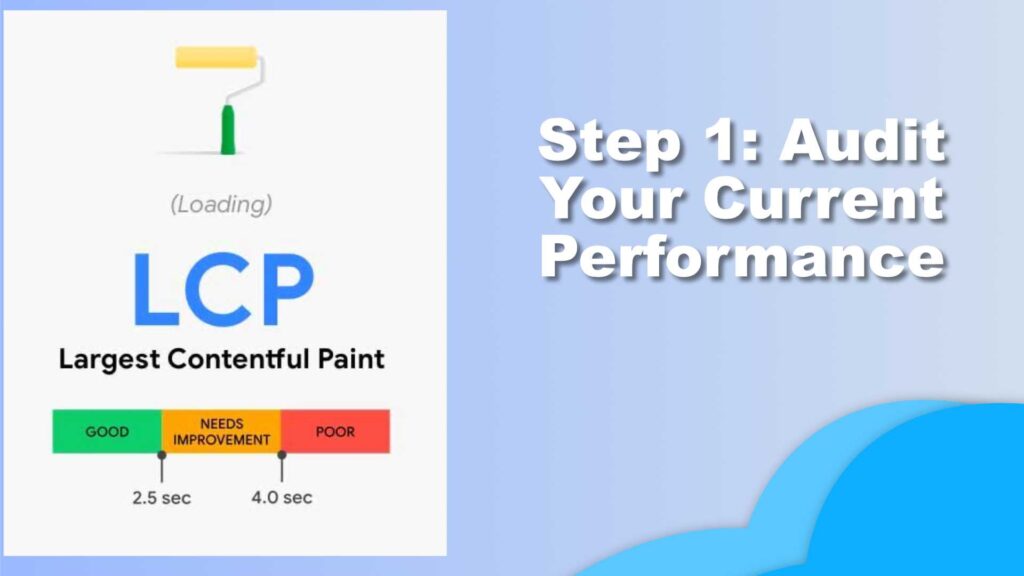
Step 1: Audit Your Current Performance
Start by measuring your baseline performance. Visit Google PageSpeed Insights and analyze your homepage and key landing pages. Pay attention to both mobile and desktop scores, as mobile performance carries more weight in search rankings.
Additionally, use tools like GTmetrix or WebPageTest for deeper insights into waterfall loading patterns and resource blocking. Document your current scores—you’ll want to track improvements as you implement optimizations.
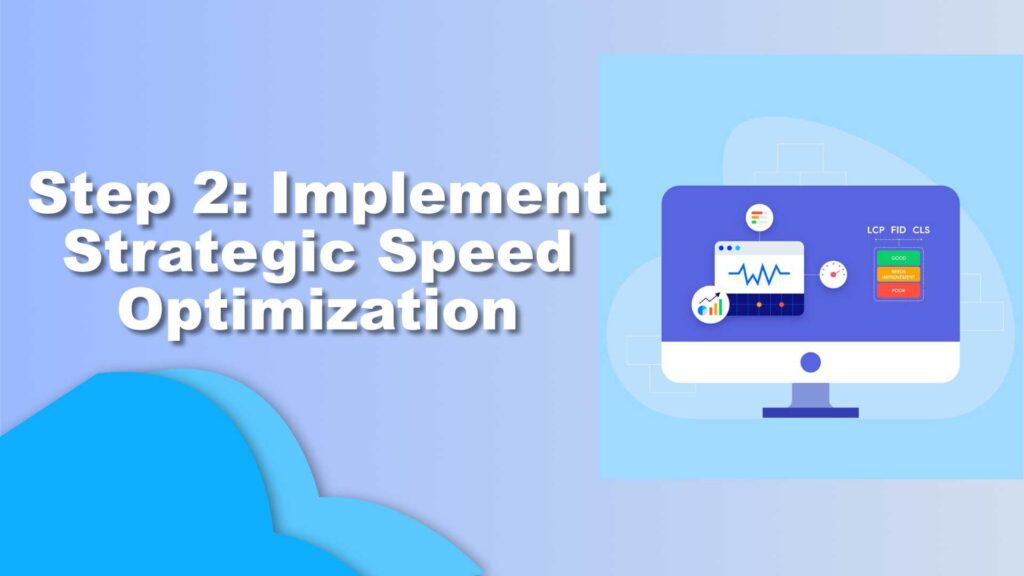
Step 2: Implement Strategic Speed Optimization
Choose a Lightweight Caching Solution
Caching is your first line of defense for speed optimization. Install a reliable caching plugin like WP Rocket, LiteSpeed Cache, or W3 Total Cache. These plugins generate static HTML files, dramatically reducing server processing time.
Configure page caching, browser caching, and object caching if your hosting supports it. Modern caching solutions also include built-in minification and compression features that complement your optimization efforts.
Optimize Images Aggressively
Images typically consume the most bandwidth on WordPress sites. Convert all images to modern formats like WebP, which offers superior compression without quality loss. Plugins like ShortPixel or Imagify automate this conversion process.
Implement lazy loading for images below the fold. WordPress has native lazy loading since version 5.5, but dedicated plugins offer more control over implementation. Ensure your largest contentful paint element—often a hero image—loads immediately without lazy loading.
Minimize and Defer JavaScript
JavaScript is often the biggest culprit behind poor INP scores. Audit your theme’s JavaScript files and eliminate unnecessary scripts. Many themes load jQuery and other libraries globally when they’re only needed on specific pages.
Use your caching plugin or a dedicated optimization plugin like Asset CleanUp to defer non-critical JavaScript. This prevents render-blocking that delays your initial page paint. For critical interactive elements, ensure scripts load efficiently without blocking the main thread.
Step 3: Optimize Your Theme’s Code Structure
Clean Up Your CSS Delivery
Bloated CSS files slow down rendering and impact LCP scores. Most WordPress themes load their entire stylesheet regardless of which page elements are actually being used.
Generate critical CSS for above-the-fold content and inline it directly in your page head. Load the remaining CSS asynchronously. Plugins like WP Rocket include critical CSS generation, or you can use specialized tools like Critical CSS Generator.
Remove unused CSS using PurgeCSS or similar tools. Many page builders and themes include hundreds of kilobytes of CSS for features you never use. Cleaning this up can dramatically improve loading times.
Reduce HTTP Requests
Each resource your theme loads requires a separate HTTP request. Combine CSS and JavaScript files where possible, but be strategic—sometimes splitting resources improves caching efficiency.
Replace icon fonts with inline SVGs or modern icon solutions. Font Awesome and similar icon fonts load entire libraries when you might only use a handful of icons. Inline SVGs eliminate this overhead while maintaining visual quality.
Step 4: Configure Proper Resource Loading
Implement Preloading Strategically
Preload critical resources that impact LCP, such as hero images, custom fonts, or essential CSS files. Add preload tags to your theme’s header:
<link rel="preload" as="image" href="hero-image.webp">
<link rel="preload" as="font" href="custom-font.woff2" crossorigin>
Don’t overuse preloading—it tells browsers these resources are critical, so prioritize only what truly impacts initial rendering.
Optimize Web Font Loading
Web fonts significantly impact both LCP and CLS scores. Use the font-display: swap property to prevent invisible text during font loading. Host fonts locally rather than loading from Google Fonts to reduce DNS lookups and connection overhead.
Consider using system fonts for body text and reserving custom fonts for headings. This approach balances branding with performance.

Step 5: Enhance Server and Hosting Performance
Your theme optimization efforts will plateau without proper hosting infrastructure. Ensure your hosting plan includes:
- PHP 8.1 or newer for improved execution speed
- HTTP/2 or HTTP/3 protocol support for multiplexed connections
- CDN integration for geographically distributed content delivery
- Sufficient server resources (RAM, CPU) for your traffic levels
Consider upgrading to managed WordPress hosting optimized specifically for Core Web Vitals WordPress requirements. Premium hosts implement server-level optimizations impossible with standard shared hosting.

Step 6: Fix Layout Shift Issues
CLS problems often stem from images and ads loading without specified dimensions. Always include width and height attributes on images so browsers can reserve appropriate space during loading.
Reserve space for dynamic content like ads or embedded videos. Use CSS aspect ratio boxes to prevent layout shifts when async content loads.
Avoid inserting content above existing content except in response to user interactions. Sticky headers and notification banners should render immediately or not at all.
Step 7: Monitor and Maintain Performance
Core Web Vitals optimization isn’t a one-time task. Regular monitoring ensures sustained performance as you add content and features.
Set up Google Search Console to receive Core Web Vitals reports directly from real user data. This field data reflects actual visitor experiences across different devices and network conditions.
Test major updates on a staging site before deploying to production. New plugins, theme updates, or content additions can unexpectedly impact performance.
Advanced Optimization Techniques
For sites requiring maximum performance, consider implementing a headless WordPress architecture using technologies like Next.js or Gatsby. These frameworks generate static sites with optimal loading characteristics while retaining WordPress’s content management capabilities.
Implement resource hints like dns-prefetch and preconnect for third-party resources. These tell browsers to resolve DNS and establish connections earlier in the loading process.
Use service workers to cache assets and enable offline functionality. Progressive Web App features can dramatically improve perceived performance for returning visitors.
Conclusion
Optimizing any WordPress theme for Core Web Vitals in 2025 requires a systematic approach addressing multiple performance factors. By implementing strategic speed optimization techniques, cleaning up code, configuring proper resource loading, and maintaining ongoing monitoring, you’ll create a fast, responsive website that delights users and ranks well in search results.
Remember that every theme is unique, and some optimizations may require custom development work. However, the strategies outlined here provide a solid foundation for achieving excellent Core Web Vitals scores regardless of your starting point. The investment in performance pays dividends through improved user engagement, higher conversion rates, and better search visibility.
FAQ Section - Core Web Vitals Optimization
Core Web Vitals are a set of performance metrics defined by Google that measure real-world user experience. They consist of three key metrics: Largest Contentful Paint (LCP) for loading speed, Interaction to Next Paint (INP) for responsiveness, and Cumulative Layout Shift (CLS) for visual stability. These metrics matter because Google uses them as ranking factors in search results, and poor scores can negatively impact your site's visibility, user engagement, and conversion rates.
A good Core Web Vitals score meets these thresholds: LCP should be 2.5 seconds or less, INP should be 200 milliseconds or less, and CLS should be below 0.1. These measurements should be met for at least 75% of your page visits. Google Search Console provides real-world data showing how your site performs for actual users across different devices and network conditions.
Yes, you can significantly improve Core Web Vitals without changing themes. Focus on implementing proper caching, optimizing images with compression and lazy loading, minifying CSS and JavaScript, using a content delivery network (CDN), and ensuring your hosting infrastructure is adequate. However, some poorly coded themes may have fundamental performance issues that limit how much improvement is possible without theme modifications or replacement.
Technical improvements like caching, image optimization, and code minification can show immediate results in synthetic testing tools like PageSpeed Insights. However, Google Search Console's Core Web Vitals report uses real user data collected over 28 days, so you'll need to wait about a month to see official improvements reflected in your search performance data. Keep monitoring both synthetic and field data for a complete picture.
The best plugins for Core Web Vitals optimization include WP Rocket or LiteSpeed Cache for comprehensive caching and performance optimization, ShortPixel or Imagify for image optimization and WebP conversion, Asset CleanUp for removing unnecessary scripts and styles, and Perfmatters for advanced performance tweaks. Avoid installing too many optimization plugins as they can conflict with each other and actually harm performance.
Absolutely. Your hosting provider significantly impacts Core Web Vitals, especially LCP and INP scores. Quality hosting ensures fast server response times, adequate resources (CPU and RAM), modern PHP versions, and technologies like HTTP/2 or HTTP/3. Shared hosting often struggles with Core Web Vitals due to resource limitations, while managed WordPress hosting or cloud hosting typically provides better infrastructure for optimal performance.
Proper Core Web Vitals optimization should not negatively impact design or functionality. Techniques like image optimization, code minification, and caching are invisible to users while improving performance. However, aggressive optimizations like removing animations, limiting JavaScript functionality, or disabling certain features might require design compromises. The goal is finding the right balance between performance and user experience.
Check your Core Web Vitals scores weekly using synthetic tools like PageSpeed Insights for immediate feedback, and monitor Google Search Console monthly for real user data trends. Perform comprehensive audits quarterly or whenever you make significant changes to your site, such as theme updates, new plugins, or major content additions. Set up automated monitoring to receive alerts when scores decline unexpectedly.
